
How to Turn On Data Roaming Without Huge Fees
Turning on data roaming is just a flick of a switch in your phone’s settings, usually tucked away under Cellular or Mobile Networks. While it only takes a moment, the bill that follows can be a real shock if you aren't prepared for it.
What Happens When You Turn On Data Roaming
Flipping that switch feels like a simple fix, but there's a lot happening behind the scenes. You're essentially giving your phone permission to hop onto a partner network in whatever country you're in. Your home carrier has deals with these international providers, letting your phone "borrow" their cell towers for calls, texts, and—most importantly—data.
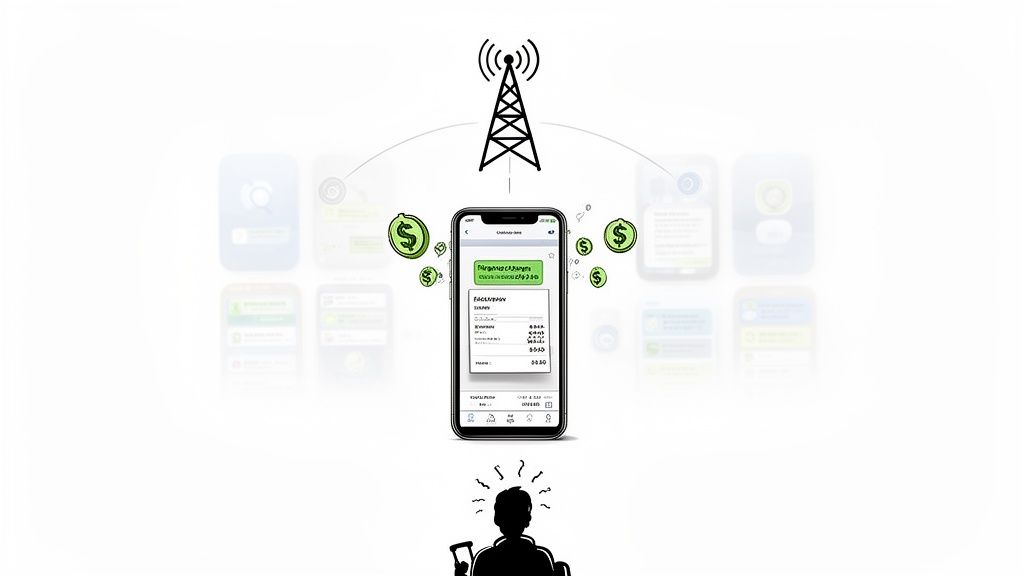
The handoff is seamless for you, but back home, the billing meter starts running. The foreign carrier bills your provider for every megabyte you use, and your provider passes that cost right along to you, often with a hefty markup.
The Hidden Costs of Convenience
The real danger isn't just from actively looking up directions or scrolling through social media. I’ve heard countless stories of travelers coming home to a massive bill from things they never even realized were happening.
Imagine this: you land, turn on data roaming for a "quick check" of your email, and then pop your phone back in your pocket. Unseen, your apps start updating themselves in the background. Your photos sync to the cloud. Push notifications for news, weather, and messages stream in. Each one of those little actions eats up data at eye-watering per-megabyte rates.
Just one day of this passive data drain can easily rack up a bill of $50 or more. Over a week-long trip, you could be looking at hundreds of dollars in surprise charges.
The global roaming tariff market was valued at USD 81.58 billion in 2024 and is projected to hit USD 117.07 billion by 2030. This is a massive industry, which explains why carrier roaming packages are often so complex and why travelers need to be so careful. You can explore more about these market trends and what they mean for your wallet.
This is exactly why just learning how to turn on data roaming is only half the story. Knowing the financial risk is the first step toward finding smarter, cheaper ways to stay connected, like travel eSIMs or local SIM cards. They give you predictable pricing without the anxiety of a monster bill waiting for you back home.
How to Enable Data Roaming on Your Phone
Alright, let's get you connected. Turning on data roaming is usually a painless process, but the settings can be tucked away in slightly different spots depending on what kind of phone you have. The trick is knowing exactly where to look so you can flip the switch the moment you land.
First things first, make sure your phone has a decent charge. The last thing you want is a dead battery right when you’re trying to navigate a new city. If you’re looking for a solid power bank, this guide on how to charge your phone has some great tips.
Once you’re powered up, finding the right menu only takes a few taps. We'll walk through it for both iPhones and Androids.
Navigating Your iPhone Settings
For all you iPhone users out there, Apple keeps things refreshingly simple. The steps to activate data roaming are the same whether you're rocking the latest model or one from a few years back.
Just pop open your Settings app and tap on Cellular (or Mobile Data, depending on your region). This is your command center for everything related to your mobile connection.
From there, head into Cellular Data Options. You'll see the toggle switch for Data Roaming right there. Give it a tap, and it'll turn green. That's it—roaming is now active.
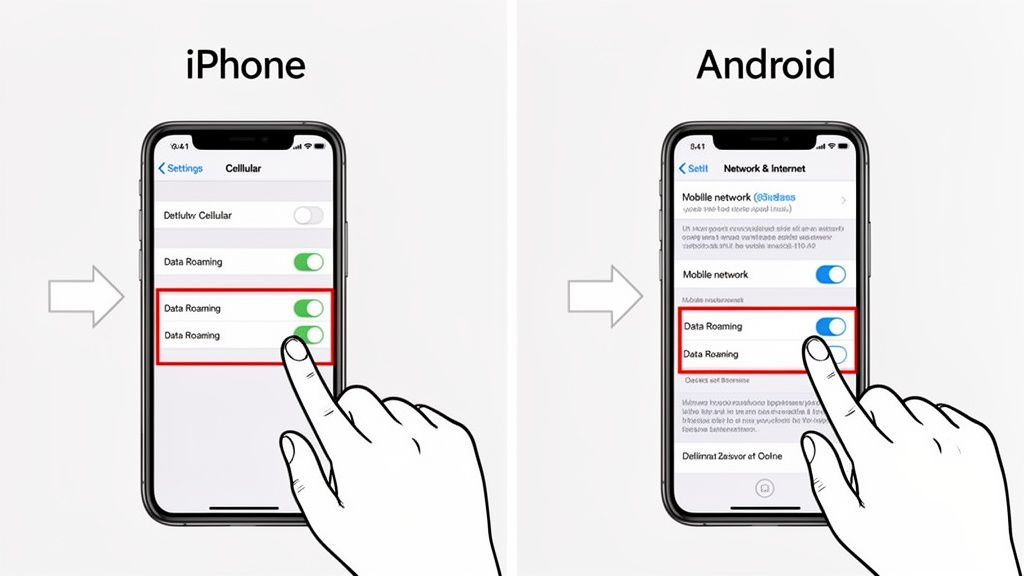
As you can see, it’s a simple on/off switch, making it incredibly easy to control when your phone connects to foreign networks. Just remember to flick it back off when you get home to avoid any surprise charges.
Finding Roaming on Your Android Device
The Android world is a bit more of a wild west, with manufacturers like Samsung and Google putting their own spin on the software. Don’t worry, though—the path to data roaming is pretty much the same across the board.
Start by opening your phone’s Settings app. You’re looking for a section called Network & internet or sometimes Connections. This is where your mobile network preferences live.
Next, tap on SIMs or Mobile networks. This will bring you to a menu for your specific SIM card, where you’ll find the Data roaming option. Just like on an iPhone, a quick toggle will turn it on.
For example, on a Google Pixel, you’d go to Settings > Network & internet > SIMs > Data roaming. On a Samsung, it's usually Settings > Connections > Mobile networks > Data roaming.
The main takeaway: The menu names might change—"Cellular" vs. "Mobile networks"—but you're always digging into the settings for your SIM card's network connection to find that roaming switch.
By the way, if you’re setting up a new travel eSIM, the process is very similar. You can find more detailed walkthroughs in our guides on eSIM activation.
Why Your Data Roaming Isn't Working
It’s that sinking feeling every traveler dreads. You’ve just landed, you've done everything right—or so you thought—and your phone stubbornly shows "No Service." Before you start spiraling, take a breath. The fix is almost always surprisingly simple.
Nine times out of ten, the problem isn't your phone itself. It's usually a hidden setting or a simple restriction you didn't know about. A classic culprit is your phone's APN (Access Point Name) settings. Think of the APN as the specific "address" your phone uses to find and connect to a mobile network. When you land in a new country, that address sometimes fails to update automatically, leaving your phone totally lost.
Another common roadblock comes straight from your home carrier. To protect you from eye-watering roaming bills, many providers block international roaming by default. You often have to log into your account and manually activate an international pass before you fly. If you skipped that step, they’ve likely put up a digital wall.
A Quick Fix Checklist
Instead of toggling airplane mode on and off in frustration, run through this quick diagnostic checklist. This solves the problem for the vast majority of travelers I've helped.
- Did You Actually Add a Plan? This sounds obvious, but it's the most common mistake. Log into your carrier's app or website and confirm your account is actually authorized to roam internationally.
- Check the APN Settings. On an iPhone, you’ll find this under Cellular > Cellular Data Network. On Android, it's usually buried in Mobile Networks > Access Point Names. Google your carrier's official APN settings and make sure they match what's on your phone.
- Try a Manual Network Search. Your phone’s “automatic” network selection can sometimes fail. Head into your mobile network settings, switch off "Automatic," and see what local carriers pop up. Try connecting to each one on the list manually.
One last thing to consider—if nothing else works, your phone might be carrier-locked. This means it's programmed to only work with your home provider's SIM card. It won’t connect to a foreign network, even for roaming, no matter what you do.
Smarter Alternatives To Expensive Roaming
Knowing how to turn on data roaming is one thing, but it’s rarely the smartest or cheapest way to stay connected when you travel. Think of it as your emergency backup plan, not your first choice.
These days, savvy travelers have much better options that deliver faster speeds and predictable costs—without that sinking feeling you get when a surprise bill shows up.
The clear winner for most people is a travel eSIM. This is a digital SIM you can download to your phone, often before you even leave home. Instead of paying your home carrier's inflated roaming rates, you get to tap into affordable, local data plans.
To put it in perspective, a big US carrier might charge you $10 a day for a travel pass. For a week-long trip to Japan, you could grab a 1GB eSIM for as little as $5 total. The savings are huge, especially on longer trips.
Roaming vs eSIM A Quick Cost Comparison for a 7-Day Trip
To really see the difference, let’s compare the cost of traditional roaming from a major carrier against a typical travel eSIM for a one-week trip to Europe. The numbers speak for themselves.
| Connectivity Option | Estimated Cost (1GB Data) | Setup Process | Flexibility |
|---|---|---|---|
| Traditional Roaming | $70 ($10/day pass) | Automatic (just turn it on) | Locked into your home carrier’s rates and partners |
| Travel eSIM | $5 - $15 (total) | Scan a QR code (takes ~2 minutes) | Choose from dozens of providers and local networks |
As you can see, the eSIM offers dramatic savings and far more control over what you spend, turning a potential $70 expense into something closer to the cost of a couple of coffees.
Exploring All Your Connectivity Options
While eSIMs are fantastic, they're not your only option. Depending on your travel style and gear, one of these might be a better fit.
-
Local Physical SIM Cards: The classic traveler move. Landing at the airport and buying a local SIM card gets you a local phone number and cheap data. It's a solid choice, but it means you have to find a shop, navigate a potential language barrier, and perform tiny surgery on your phone to swap the SIMs.
-
Pocket Wi-Fi Devices: These are brilliant for families, groups, or anyone juggling a laptop, tablet, and phone. You rent a little gadget that creates a secure Wi-Fi bubble around you. The only real downside is having yet another device to carry around and keep charged.
The chart below shows some of the most common headaches people run into with old-school roaming, which is exactly why these alternatives have become so popular.
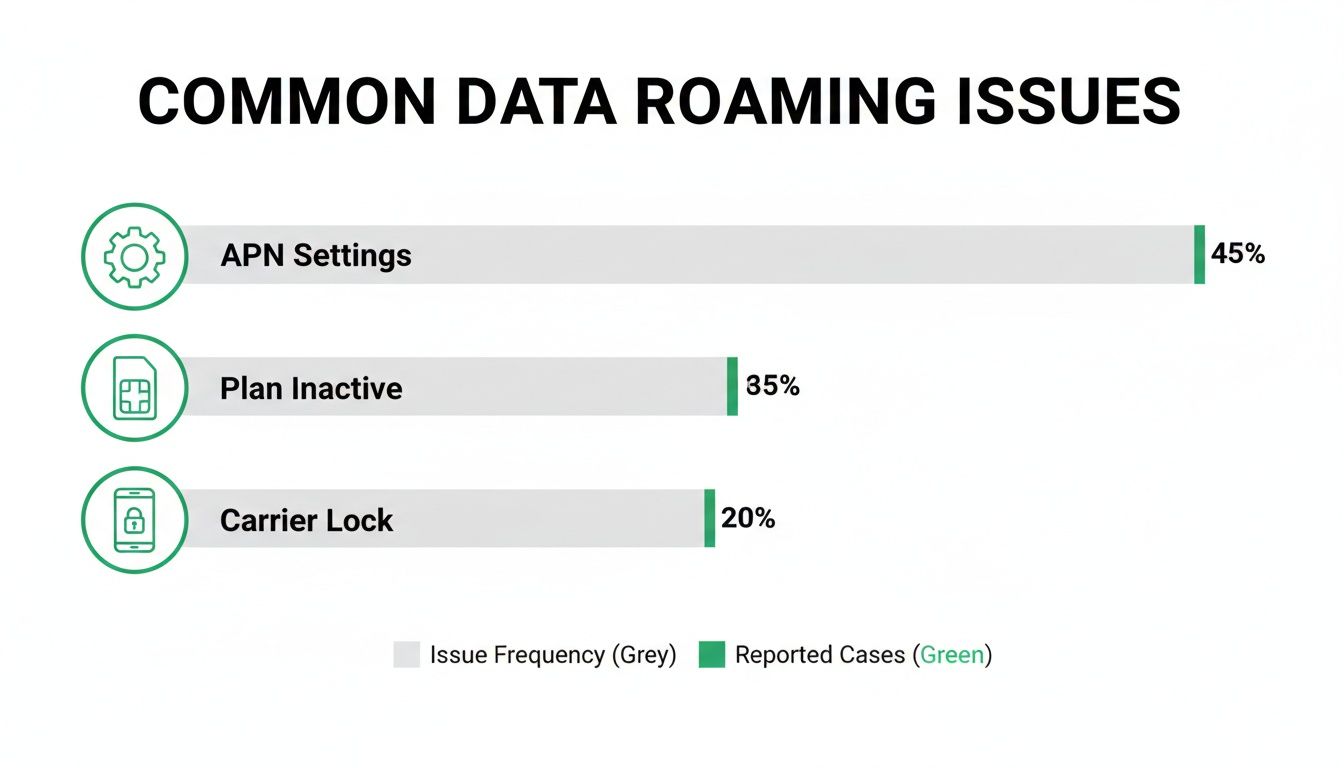
As you can see, the problems usually come from complicated carrier settings or phone restrictions—frustrations you can completely sidestep with an eSIM or local SIM.
The need for data abroad isn't just a trend; it's exploding. By 2026, it's projected that we'll be using over 3,500 Petabytes of roaming data on our phones globally. That staggering number just shows how vital staying connected has become, and why finding a cost-effective way to do it is more important than ever.
Key Takeaway: For most travelers with modern phones, eSIMs hit that sweet spot of being affordable, convenient, and easy to manage. You can https://esimguide.com/blog/how-to-avoid-roaming-charges in our in-depth guide.
While you're planning how to save on data, it’s also a good time to think about other worthwhile travel investments that can protect your trip from the unexpected.
Your Pre-Travel Connectivity Checklist
Before you even think about zipping up your suitcase, a quick connectivity check can save you from a world of frustration and those dreaded bill-shock moments. Trust me, being prepared is about more than just knowing where the data roaming switch is—it's about making smart moves before you leave home.
These days, our smartphones are our lifelines abroad. With around 5.64 billion people online worldwide and mobile usage through the roof, a solid connection is non-negotiable. You can see more on global internet usage at worldpopulationreview.com.
Run through these quick steps to make sure you're connected the second you land.
Final Checks Before You Fly
- Confirm Your Carrier Plan: The first step is always to check in with your home provider. Give them a call or, even easier, pop open their app. Do you have an international plan? If not, what are their pay-as-you-go rates? Don't assume—find out for sure.
- Check Your Phone's Compatibility: Is your phone unlocked? This is critical if you want to use a local SIM or an eSIM. Speaking of which, it's worth checking to see if your phone supports eSIM because it can be a massive money-saver on the road.
- Download Everything Offline: This is a simple but brilliant hack. Use your home Wi-Fi to download everything you can think of: Google Maps for the cities you’re visiting, Spotify playlists, your airline boarding passes, and a good translation app. This one move can drastically slash your data needs abroad.
Pro Tip: Set a data usage warning or limit on your phone before you go. Even if you have a travel plan, this little safety net will stop you from accidentally burning through your allowance and racking up nasty overage fees.
Common Questions About Data Roaming
Even with the basics down, a few nagging questions can pop up right before a trip. Let's clear the air on some of the most common concerns about data roaming so you can travel with total confidence.
Is Data Roaming a Security Risk?
This is a great question, and the short answer is no—at least, not in the way most people think.
Using data roaming is just as secure as using mobile data at home. Your connection is handled by your carrier's trusted partner networks, which follow the same standard security protocols you rely on every day.
The real risk isn't some hacker grabbing your data mid-air; it's the financial gut punch of a surprise bill. If you're genuinely concerned about security, especially on public networks like hotel or café Wi-Fi, a VPN is always your best bet. It encrypts your connection and keeps your activity private, whether you're roaming or not.
How Can I Track My Roaming Data Usage?
Your phone is actually pretty good at this, but the feature is a bit buried. The key is to find it and, more importantly, reset the counter right before you leave so you get an accurate reading for your trip.
- On an iPhone: Head to Settings > Cellular and scroll down. You’ll find your data usage under "Current Period Roaming."
- On an Android: The path is usually something like Settings > Network & internet > SIMs > App data usage.
Some carriers will send you a courtesy text when you're getting close to your limit, but don't count on it. Checking this setting yourself every day or two is the only surefire way to avoid nasty overage fees.
What's the Difference Between Roaming and an International Plan?
People mix these up all the time, but the difference is critical—and getting it wrong can cost you a fortune.
Data Roaming is the technical function that lets your phone connect to a network abroad. An International Plan is the pricing package you buy from your carrier that dictates what you'll pay for that connection.
You can absolutely roam without an international plan. That’s exactly how those horror stories of thousand-dollar phone bills happen, as you get charged absurd pay-per-megabyte rates. An international plan simply turns that unpredictable cost into a fixed price for a set amount of data.
Ready to skip the roaming fees altogether? At eSimGuide.com, we compare hundreds of affordable travel eSIMs from top providers, helping you find the perfect data plan for your trip in just a few clicks. Stay connected smarter by visiting https://esimguide.com.


