
Does My Phone Support eSIM A Definitive Compatibility Guide
So, you're getting ready for a trip and the big question pops up: Does my phone even support eSIM? It's a fair question. Most new phones from Apple, Samsung, and Google have it, but it's definitely not a given across the board. The easiest tells are usually finding an "Add eSIM" option in your settings or, on the newest iPhones, the complete lack of a physical SIM card tray.
Your Quick Guide to eSIM Compatibility
Before you start digging through your phone's settings, it helps to know the general lay of the land. Most flagship phones released since 2018 come with eSIM capability baked in. But—and this is a big but—carrier locks and where the phone was originally sold can throw a wrench in things. A classic example is iPhones sold in mainland China, which have historically used two physical SIM slots instead of the eSIM + physical SIM combo found elsewhere.
Getting a handle on whether your phone is compatible is the first real step to unlocking easier and cheaper data while you travel. An eSIM does the exact same job as that little plastic chip you're used to, just digitally, letting you switch carriers with a few taps. If you're new to the concept of running two lines on one phone, this guide on dual SIM phones is a great primer.
For a quick visual breakdown, this decision tree covers the big players.
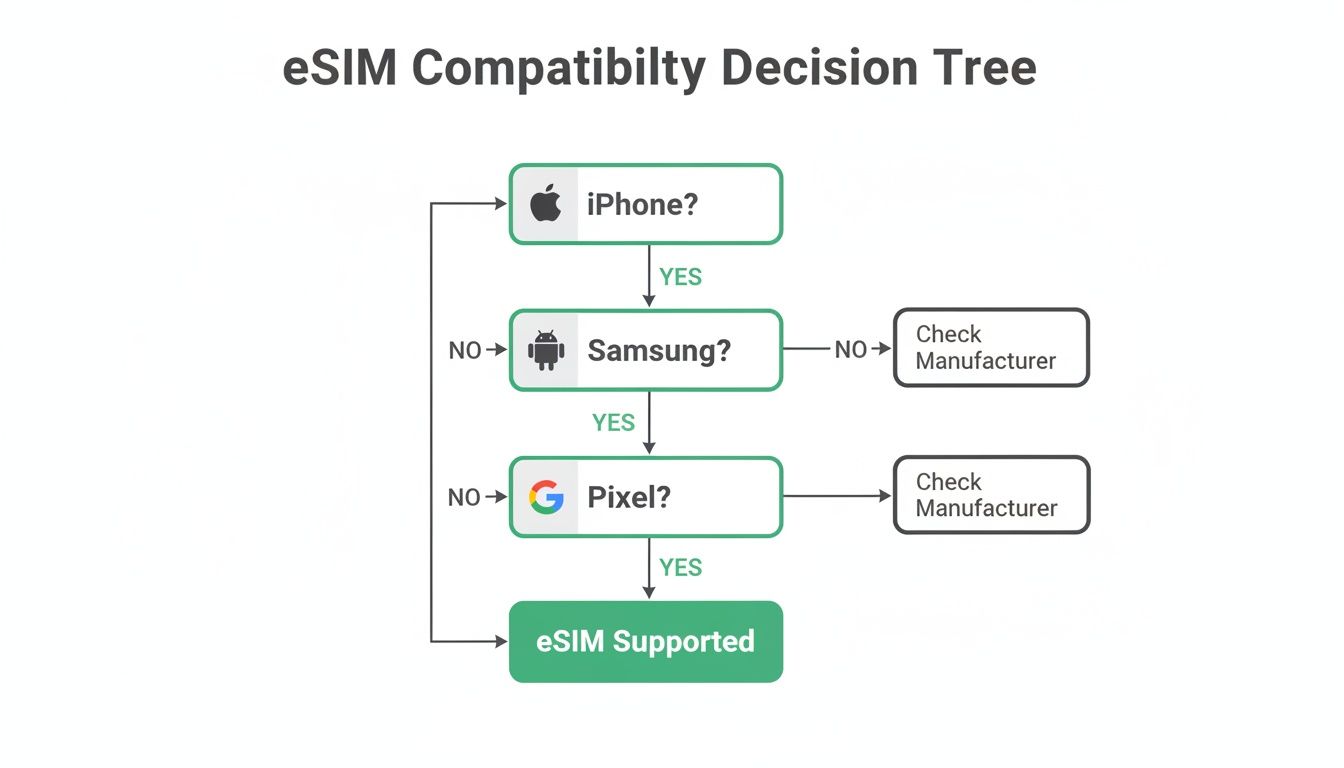
As you can see, even with the top brands, it always comes down to checking your specific model and its history.
A Quick Reality Check on eSIM Adoption
Despite how much we talk about it, eSIM isn't quite everywhere yet. In 2024, only about 23% of all smartphones shipped worldwide came with eSIM support. That might sound low, and it helps explain why physical SIM cards are still the standard for so many people.
To put it in perspective, that means billions of phones out there still rely on the old-school plastic SIM. The technology is definitely the future, but the transition is happening gradually.
Quick eSIM Support Checklist By Brand
Here’s a simple table to give you a starting point for the most common phone brands. It’s not exhaustive, but it covers the basics.
| Phone Brand | Generally Supported Models | Key Checkpoint |
|---|---|---|
| Apple | iPhone XS, XR, and newer (includes all iPhone 11-15 series) | Check for "Add eSIM" under Cellular/Mobile Data settings. |
| Samsung | Galaxy S20 series and newer, most Fold/Flip models | Varies by region; look for "SIM Card Manager" in Connection settings. |
| Pixel 3 and newer (excluding 3a/4a sold by some carriers) | Check for "Add a SIM using QR code" under Network & Internet. | |
| Huawei | P40, Mate 40 series and newer (limited outside China) | Support is very inconsistent; must verify in settings. |
Always remember to double-check your exact model number, as regional variations can catch you by surprise.
If you want to dive deeper into specific travel scenarios or carriers, our other eSIM https://esimguide.com/guides have you covered.
Confirming eSIM Support In Your Phone Settings
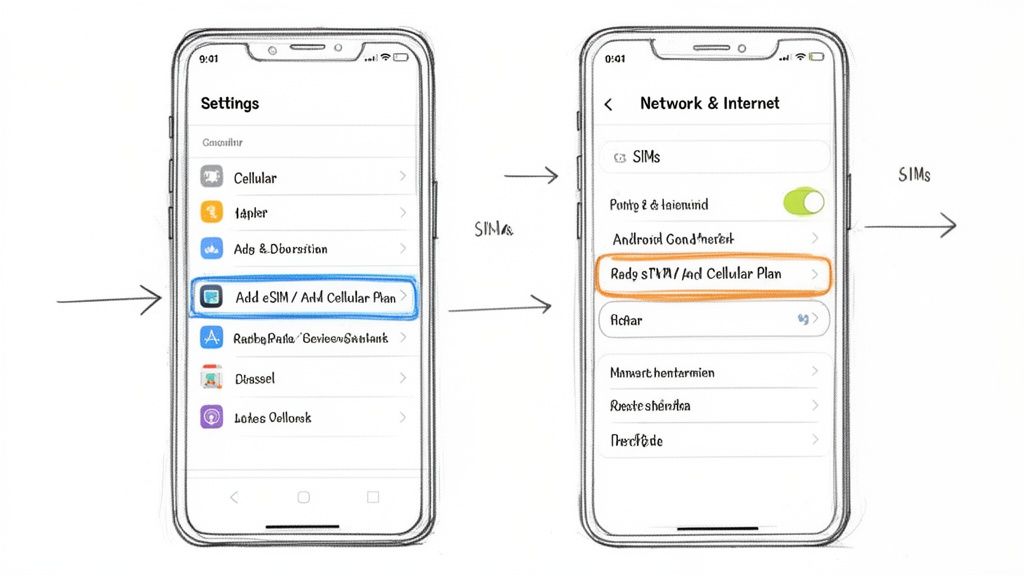
While compatibility lists are a great starting point, the only way to know for sure is to check the device itself. This is the ultimate source of truth, cutting through any confusion about your specific model, region, or carrier lock status. Think of it as asking your phone directly.
The good news? It takes less than a minute. The steps vary a bit between iPhone and Android, but the mission is the same: find an option to add a digital cellular plan.
Finding The Option On An iPhone
Apple makes this incredibly simple. If you have an iPhone, the process is always the same.
- Open the Settings app.
- Tap on Cellular (or Mobile Data in some regions).
- Look for a button that says Add eSIM or Add Cellular Plan.
If you see either of those options, you're golden. Your iPhone is 100% eSIM-ready. It’s the clearest confirmation you can get. If those options are missing, your phone either lacks the hardware or, more likely, is locked by a carrier in a way that restricts adding new lines.
Pro Tip: On newer iPhones, you might also see a "Set Up eSIM" prompt. The exact words can change with iOS updates, but the presence of any command to add a non-physical SIM is your green light.
Locating eSIM Settings On Android Devices
Android is a bit more of a wild west because every manufacturer (Samsung, Google, OnePlus, etc.) puts their own spin on the settings menu. Don't worry, though—the option you're looking for is usually in the same neighborhood.
Start by diving into your phone's network settings. The most common paths are:
- Settings > Network & Internet > SIMs
- Settings > Connections > SIM Card Manager (this is the go-to for Samsung devices)
Once you're in there, hunt for a plus sign (+) or an option labeled Add eSIM or Download a SIM instead?. On a Google Pixel, it might ask, "Don't have a SIM card?" with an option to download one. For a full rundown of specific models, check out our detailed guide on eSIM phone support.
Finding this digital setup option is your definitive proof. It means your phone has the necessary eUICC (Embedded Universal Integrated Circuit Card) chip—the tiny piece of hardware that makes eSIMs work.
Use Your IMEI for a Definitive Answer
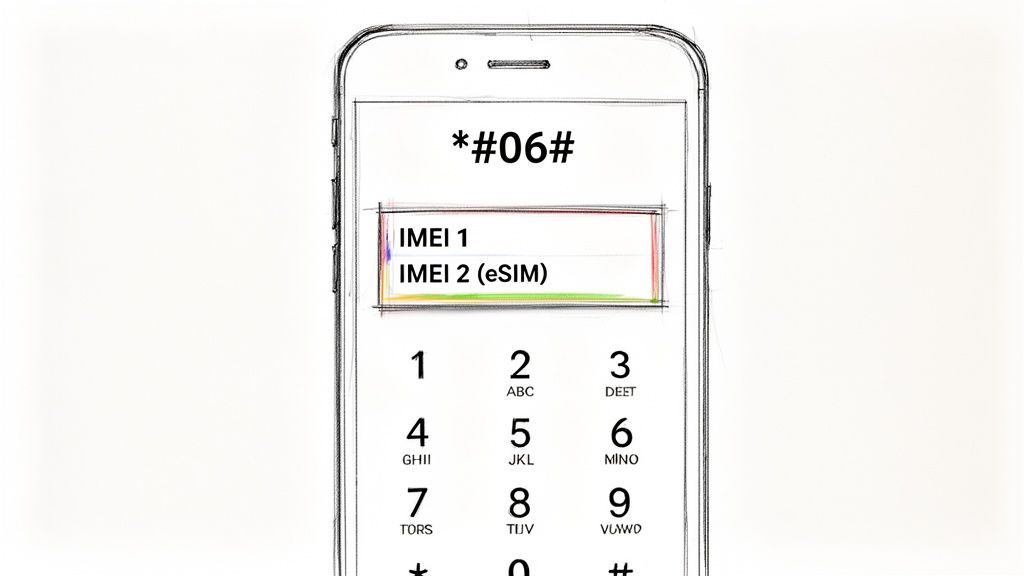
If you've dug through your phone’s settings and still aren't sure, or you suspect a carrier lock is hiding the "Add eSIM" option, there’s one surefire way to get a technical answer.
Every phone has a unique IMEI (International Mobile Equipment Identity) number. Here’s the key: a phone with eSIM capability actually has two of them. One is for the physical SIM slot, and the other is for the digital eSIM hardware soldered onto the motherboard.
Finding that second IMEI is the clearest proof your device supports eSIM, even if the software settings are playing coy.
Uncovering Your Phone’s Digital ID
The quickest way to check is to use a universal dialer code that works on just about any mobile phone, bypassing confusing menus to get straight to the point.
- Open your phone’s dialer app, just like you’re about to make a call.
- Type in the code *#06# and give it a second.
- A screen should pop up showing your device’s identification numbers.
If you see two IMEI numbers—often labeled IMEI1 and IMEI2—you’re in business. Your phone is eSIM-ready. That second number is tied to your digital eSIM.
iPhone users looking for more detail can check out this guide on how to retrieve the IMEI number on your iPhone, which covers a few different methods.
The Bottom Line: Seeing a second, distinct IMEI number is the most reliable technical proof of eSIM capability. It confirms the embedded hardware is there, no matter what your software settings show.
This little trick is especially handy for secondhand phones where the device's history might be a mystery. If you only see one IMEI, your device almost certainly lacks the hardware needed for an eSIM. It’s a simple test that gives you a powerful, immediate answer.
Using Online Checkers and Carrier Lists
If digging through your phone’s settings menu isn’t your thing, there’s a much faster way to get an answer. Most big phone manufacturers and mobile carriers have official compatibility lists right on their websites. These are your best friends for getting a quick yes-or-no on eSIM support.
Instead of playing a guessing game, you can go straight to the source. Apple, Samsung, and Google all publish dedicated support pages listing every single eSIM-compatible device they’ve ever made. This is a lifesaver if you're thinking about buying a used phone and need to confirm its specs before you pull the trigger.
Check With The Manufacturer First
Your first stop should always be the manufacturer’s website. After all, they built the phone, so they have the final word on what hardware is actually inside.
- Apple: Keeps a super clear, easy-to-read list of every iPhone with eSIM support.
- Samsung: Also provides compatibility lists, but just be aware that support can sometimes vary depending on the country or region the phone was sold in.
- Google: Offers a simple, no-fuss list of all the Pixel phones that are eSIM-ready.
Getting the green light from the manufacturer confirms the hardware is there, but that's only half the battle. Your next step is just as critical.
Why Your Carrier’s Website Is a Must-Visit
Here’s the thing: your mobile carrier gets the final say. A phone can be perfectly eSIM-capable, but if it’s carrier-locked, you’re stuck. You won’t be able to install an eSIM from a different provider, which is the most common headache travelers run into.
Checking your carrier’s website is non-negotiable. It confirms if your specific model is supported on their network and tells you if the phone is unlocked and ready for a third-party eSIM.
Many carriers offer an online tool where you just pop in your phone’s IMEI to check its lock status. Finding this out before you leave home will save you a world of frustration. Once you’ve confirmed your device is unlocked and compatible, you can start looking into which eSIM plans are available for different countries for your trip.
Navigating Common Roadblocks And Device Quirks
Just because your phone has eSIM hardware doesn’t mean you’re in the clear. The biggest hurdle, by far, is the dreaded carrier lock. If you bought your phone directly from your home carrier on a payment plan, it’s almost certainly locked.
A locked phone will flat-out reject an eSIM from any other company. You absolutely must confirm your phone is unlocked before you buy a travel eSIM. The easiest way is to call your carrier or dig through your online account settings.
Understanding Device-Specific Quirks
Beyond carrier locks, every phone brand has its own little quirks. Knowing what to expect can save you a ton of frustration when you’re trying to get set up.
- Apple iPhones: Newer models (think iPhone 13 and up) can juggle two active eSIMs at once. The big exception? iPhones sold in mainland China often ditch eSIM entirely for two physical SIM slots.
- Samsung Galaxy: These can be a real wild card. It all depends on where you bought the phone. Models sold in certain regions—including some in the U.S. and Asia—sometimes have the eSIM feature disabled at the software level, even if the hardware is there.
- Google Pixel: Pixels are usually the most straightforward. Starting with the Pixel 3, they’ve been reliable, global-ready eSIM supporters with very few regional headaches.
This patchwork of compatibility is getting better, though, mostly because travelers are pushing the industry forward. As more people use eSIMs abroad, they start demanding the same flexibility at home.
It’s a trend that’s not slowing down. Experts project that by 2026, over 633 million eSIM-capable devices will ship every year. You can read more about these eSIM market growth projections if you’re curious about the tech.
Key Takeaway: Always check two things: that your phone is unlocked and that your specific model variant supports eSIM. Don't just trust the series name (like "Galaxy S23"). A quick Google search for your exact model number can save you from a major headache later.
What To Do If Your Phone Is Not eSIM Ready
So, you've run the checks, dialed the codes, and hit a dead end: your phone doesn't have eSIM support. Don't sweat it. This doesn't mean you're doomed to pay your home carrier’s absurd daily roaming fees. You still have some fantastic, budget-friendly ways to stay connected on your travels.
Long before eSIMs became the traveler's secret weapon, we all relied on physical SIM cards—and they still work great. In fact, many frequent flyers still swear by them for their reliability and rock-bottom prices, especially in places like Southeast Asia where a local data plan can cost less than a cup of coffee.
Your Best Alternatives to eSIM
If your device isn't built for a digital SIM, you have two classic, battle-tested options that will get you online without destroying your budget. Each has its own strengths, depending on how you travel.
- International Physical SIM Card: This is the original travel hack. You can grab one online before you leave or find them at airport kiosks right after you land. For anyone staying in one country for more than a few days, a local physical SIM is almost always the cheapest way to go.
- Portable Wi-Fi Hotspot: Often called a "pocket Wi-Fi," this little gadget is a game-changer for anyone traveling in a group or juggling multiple devices. It creates your own private Wi-Fi network, letting you connect your phone, laptop, tablet, and your travel buddy's devices all at once.
The right choice really comes down to your specific needs. If you’re a solo traveler who just needs data on your phone, a physical SIM is a no-brainer. But if you’re traveling with family or need to keep your laptop online for work, a portable hotspot is a brilliant investment for easy, shareable internet.
Common Questions About eSIM Support
So you've run the checks, but a few nagging "what if" questions are still floating around. It happens. Let's tackle some of the most common snags and points of confusion people run into when figuring out if their phone is truly ready for a travel eSIM.
My Phone Has eSIM, But Can It Still Fail to Work?
Yes, and this is probably the most common trap travelers fall into. The culprit is almost always a carrier lock. Even if your phone has the built-in eSIM hardware, the carrier you bought it from can lock the device to its network.
This lock is a digital gatekeeper, and it will block you from installing an eSIM from any other provider. Before you even think about buying a travel eSIM, you absolutely have to confirm your phone is unlocked. A quick call to your home carrier is usually all it takes.
Does a Second IMEI Number Mean I'm Good to Go?
In nearly every case, yes. Seeing a second IMEI is the strongest sign your phone is eSIM-ready. Modern dual-SIM phones need a way to identify both connections, so they have one IMEI for the physical SIM tray and a second one for the digital eSIM.
The old pro trick is to dial *#06# on your phone's keypad. If two IMEI numbers pop up on the screen, you've got your answer. Some phones even label the second one as a "digital SIM IMEI," which takes all the guesswork out of it.
If My Phone Model Supports eSIM, Does That Mean All of Them Do?
Not necessarily, and this is where a lot of people get tripped up. Where the phone was originally sold can change everything.
For example, iPhones sold in mainland China are famous for this. Instead of the usual eSIM and physical SIM combo, they're often built with two physical SIM slots to comply with local regulations. So, while an iPhone 15 from the US or Europe is a safe bet, one from China isn't. This is why just knowing the model name isn't always enough—the country of origin matters.
Planning your next adventure? Stop guessing and start comparing. At eSimGuide.com, we lay out all the options from over 22 providers so you can find the perfect, most affordable eSIM for your trip in just a few clicks. Find your ideal travel data plan at https://esimguide.com.


